
Methodology
How automated and manual auditing
work together.
A single scan cannot find every accessibility barrier. The platform combines automated rule engines, browser automation, manual expert judgment, and document inspection — producing a complete, defensible evidence record.
Crawl Engine
Discovery: map the full scope.
Before scanning begins, the platform crawls the target site to build a complete map of pages and URL patterns. The crawler respects robots.txt, discovers additional pages via sitemaps, handles session and authentication via custom request headers, and groups similar URL patterns for efficient coverage reporting.
- Respects robots.txt directives and Sitemap headers
- Adaptive delays — backs off on 429 and 5xx responses
- Custom request headers for authenticated and gated content
- URL pattern normalization groups similar routes automatically
- Multi-domain allowlist for complex single-sign-on applications
Scan ordering: maximum coverage, minimum waste
Large sites have thousands of pages but most share a small number of underlying templates — a product detail page, a news article, a user profile. Scanning the same template hundreds of times produces no new findings. The platform solves this through URL pattern normalization and breadth-first prioritization:
- Pattern detection — URL segments are analyzed to identify parameterized routes (e.g.
/products/123and/products/456share the pattern/products/:id). Detected patterns are grouped before scanning begins. - Breadth-first traversal — the crawler visits the site level by level, surfacing unique page types early rather than exhausting one branch before exploring others.
- Template-first ordering — the first URL matching each detected pattern is queued for scanning immediately. Additional URLs in the same pattern group are deprioritized so page budget is spent on coverage breadth.
- High-value page signals — the home page, primary navigation targets, forms, and authentication flows are always scanned regardless of depth, because these carry disproportionate user impact.
- Sampling within groups — if budget allows, multiple samples per pattern are scanned to surface data-driven variability (e.g. a product page missing alt text only on specific categories).
The result: a 500-page budget on a 10,000-page site produces findings across every distinct page template — not 500 slight variations of the same article page.

Scanning Engine
Dual-profile: nothing escapes.
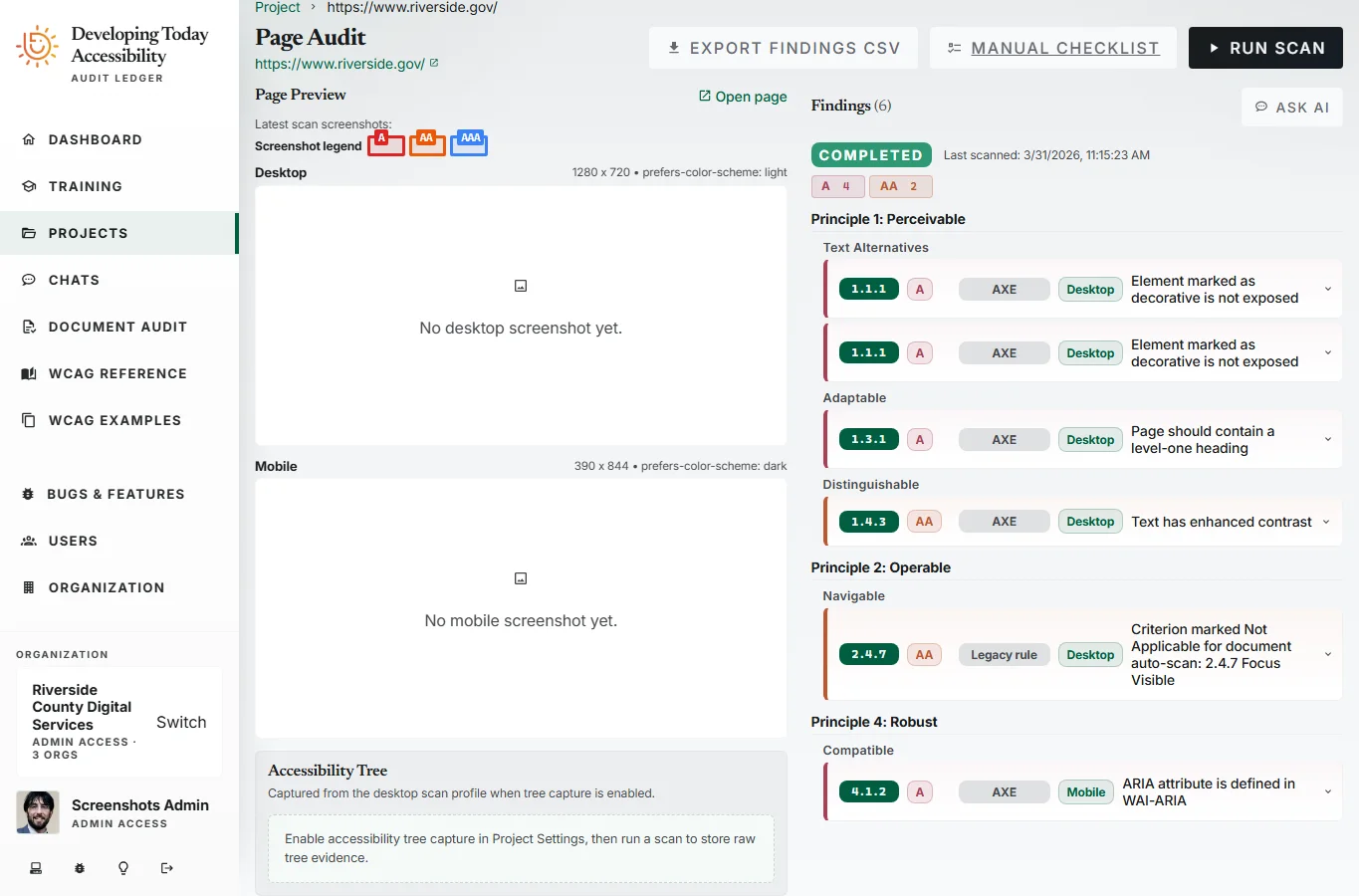
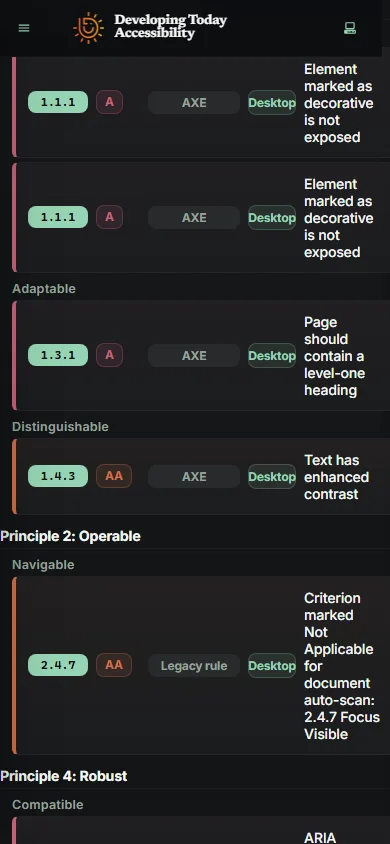
Every page is scanned twice — simultaneously — against two distinct environment profiles. This catches viewport-specific failures, dark-mode contrast issues, and responsive-breakpoint regressions that single-profile tools will miss.
Desktop / Light
1280 × 720 · Light color scheme
Tests layout at standard viewport. Catches issues that only appear on wider screens or in light mode.
Mobile / Dark
390 × 844 · Dark color scheme
Tests mobile viewport and dark mode simultaneously. Surfaces contrast failures and small-screen layout issues.
Powered by Axe-Core v4.11.1 + Playwright browser automation
WCAG Coverage
All versions. Every level.
The platform covers WCAG 2.0, 2.1, and 2.2 at conformance levels A, AA, and AAA. Each project picks the standard it is assessed against (WCAG 2.2 AA, WCAG 2.1 AA for ADA Title II, WCAG 2.0 AA for Section 508, or EN 301 549) and whether AAA counts, and its reports, scores and statements follow that choice.
WCAG 2.0
Foundation standard. Required for most government and corporate compliance programs.
WCAG 2.1
Adds 17 new criteria for mobile, cognitive, and low-vision accessibility needs.
WCAG 2.2
Current standard. Adds 9 new criteria including focus appearance, dragging movements, and accessible authentication.
Document Scanning
Accessibility beyond the browser.
PDF, Word, PowerPoint, Excel and HTML files are first-class audit subjects. Documents are scanned for structure, language tags, form controls, table accessibility, media captions, and metadata — producing findings on the same lifecycle as web page findings.
- PDF.pdf
- Word.docx, .docm, .dotx, .dotm
- PowerPoint.pptx, .pptm, .potx, .potm, .ppsx, .ppsm
- Excel.xlsx, .xlsm, .xltx, .xltm
- HTML.html, .htm, .xhtml
Older Office, RTF, OpenDocument, WordPerfect, Pages and Numbers files are converted first, for signed-in users on a paid plan.
Learn more about document scanning →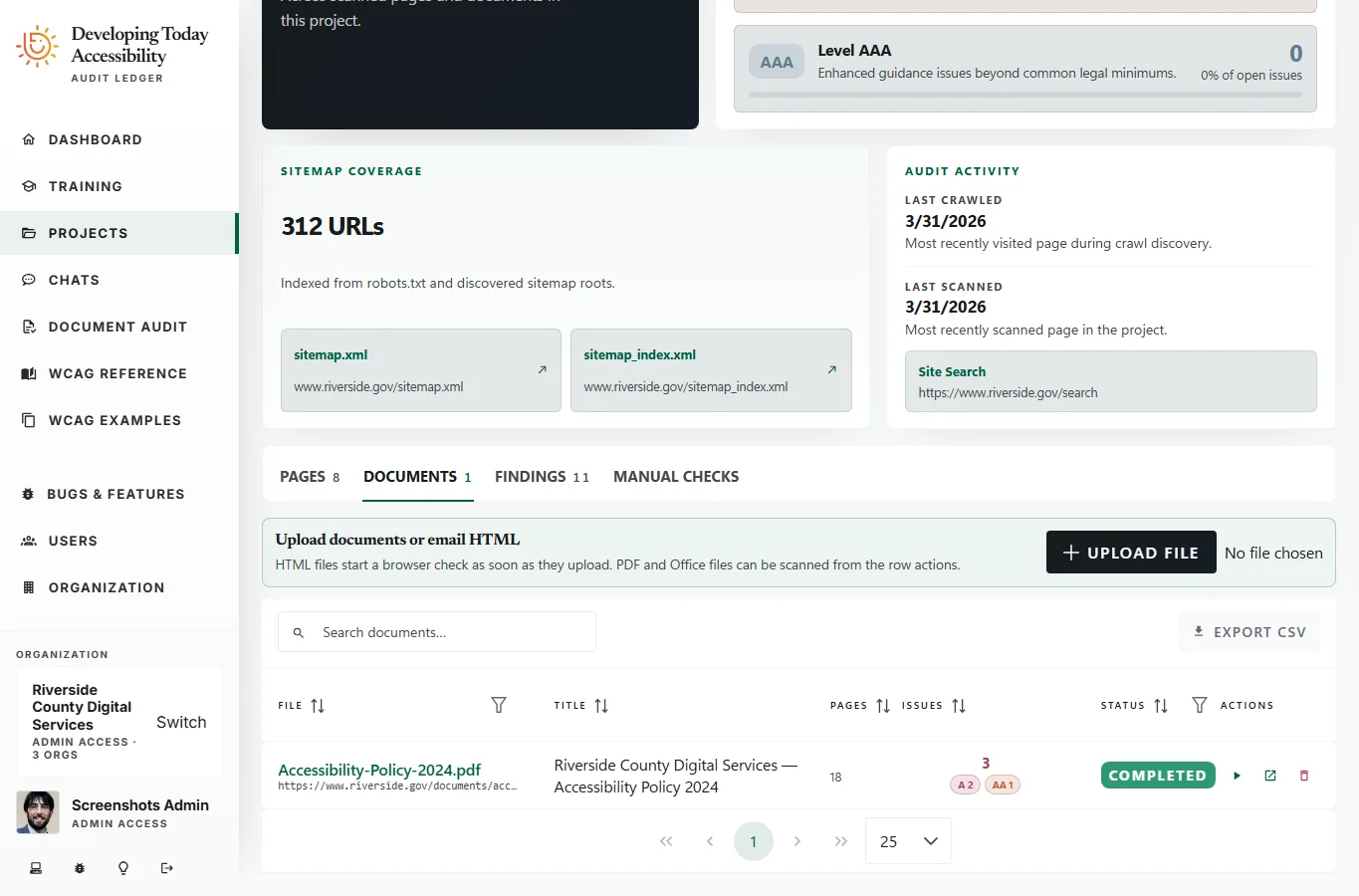
Manual Check Reconciliation
What automation can't judge.
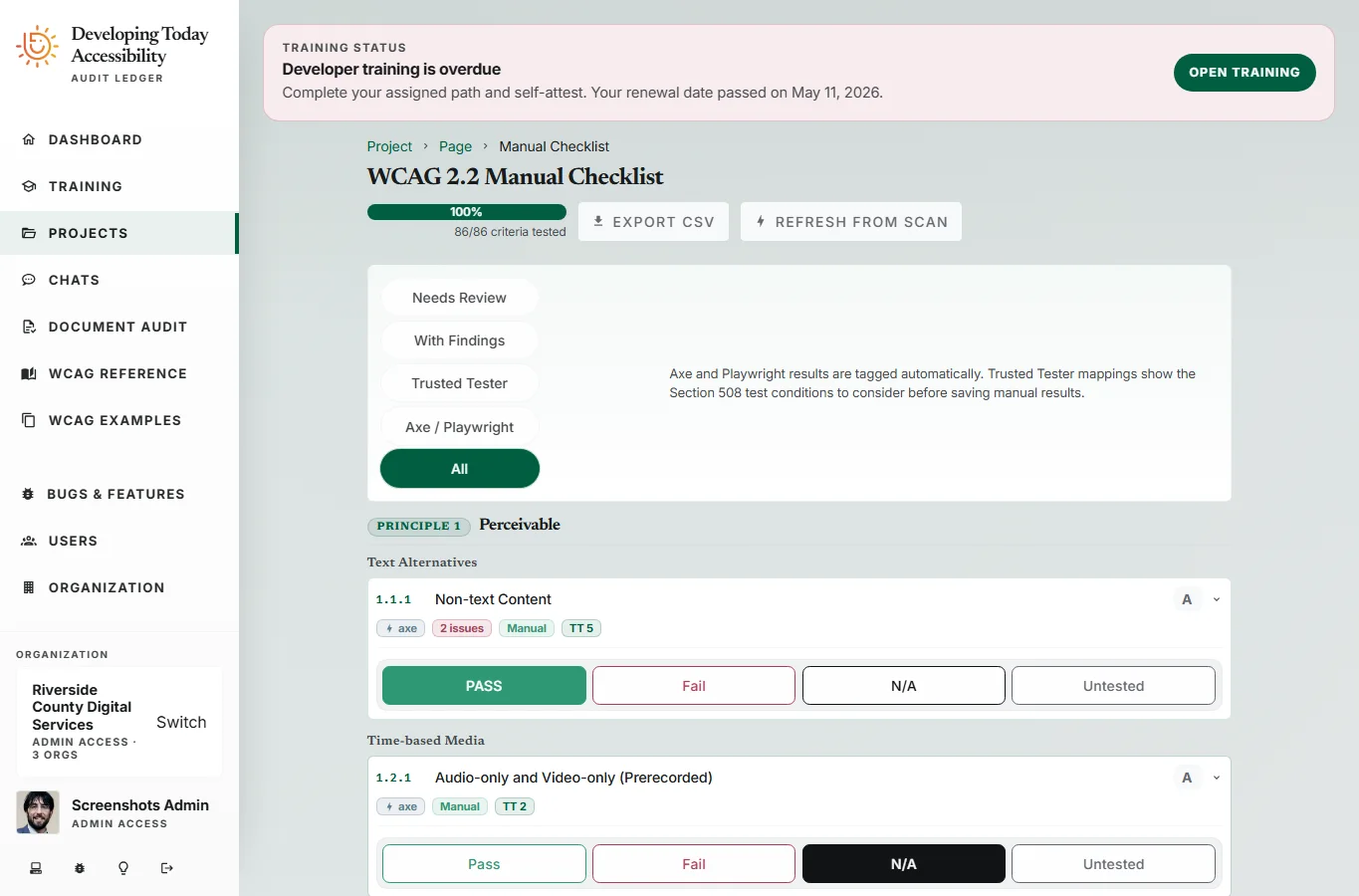
Automated tools cannot assess every accessibility requirement. Colour meaning, focus order logic, content clarity, and time-based media require expert human judgment. The manual checklist workflow integrates directly with automated scan results — pre-populating where machines have already tested, and presenting only what requires human assessment.
- Per-page WCAG criterion manual checks
- Results: Pass, Fail, Not Applicable, Not Tested
- Tester attribution and timestamp tracking
- Auto-reconciliation with automated findings
- Unified evidence record for reporting
Page Feature Detection
Smarter scoping, less noise.
The scanner detects page features at scan time — forms, video and audio, authentication mechanisms, keyboard event listeners. Detected features inform which manual checks are applicable, reducing auditor workload and producing cleaner results with fewer not-applicable findings.
See it in action
A methodology built for results that hold up.
Start your first audit today — no configuration required to get meaningful results.