Document Scanning

Accessibility isn't
just web pages.

Government services, corporate programs, and procurement processes all produce documents. PDFs, Word files, presentations, and spreadsheets face the same accessibility requirements as web pages — and they need to be audited.

Check a document free

No account needed. The checks run in your browser, and the file is never uploaded.

Supported formats

Five document types, and more by conversion. One workflow.

PDF

Portable Document Format

The most common accessible document format for government and corporate publishing. Often the primary deliverable in accessibility compliance programs.

  • Document structure and reading order
  • Language tag and metadata
  • Alternative text for images
  • Table structure and headers
  • Form control accessibility
  • Media captions and descriptions

.pdf

DOCX

Microsoft Word

Word documents are frequently shared as accessible formats before conversion to PDF. Auditing at the source catches issues earlier in the content lifecycle.

  • Heading structure and hierarchy
  • Language metadata
  • Image alt text
  • Table headers and captions
  • List structure
  • Link text quality

.docx, .docm, .dotx, .dotm

PPTX

PowerPoint Presentations

Presentations shared as documents or published to web portals must meet accessibility standards. Slide reading order and image descriptions are frequent failure points.

  • Slide reading order
  • Alternative text for images and shapes
  • Table structure
  • Language metadata
  • Media captions

.pptx, .pptm, .potx, .potm, .ppsx, .ppsm

XLSX

Microsoft Excel

Spreadsheets published as data downloads or used as official records require accessible structure, particularly for users of screen readers navigating complex tables.

  • Sheet naming and structure
  • Table headers and scope
  • Language metadata
  • Alternative text for charts and images
  • Merged cell accessibility

.xlsx, .xlsm, .xltx, .xltm

HTML

Web Pages Saved as Files

Newsletters, exported reports and archived pages are often distributed as HTML files rather than published at a URL. They are checked with the same rules as a scanned page.

  • The page scanner’s axe-core rules
  • Headings, landmarks and page title
  • Alternative text for images
  • Form labels and link text
  • Language of the page

.html, .htm, .xhtml

Converted

Older and other formats

Converted on our servers, then checked as the format they became. Available to signed-in users on a paid plan, in the Document Audit.

  • Word 97–2003.doc, .dot
  • Excel 97–2003 and binary.xls, .xlt, .xlsb
  • PowerPoint 97–2003.ppt, .pot, .pps
  • Rich Text Format (RTF).rtf
  • OpenDocument.odt, .ott, .fodt, .ods, .ots, .fods, .odp, .otp, .fodp
  • OpenDocument drawing.odg
  • WordPerfect.wpd
  • Apple Pages.pages
  • Apple Numbers.numbers

How it works

Documents as first-class audit subjects.

Upload documents directly to an audit project — alongside or instead of web pages. Scanning runs automatically. Findings appear in the same workspace with the same lifecycle, the same status tracking, and the same reporting surfaces as web page findings.

Upload to a project

Upload PDF, Word, PowerPoint, Excel and HTML files to any audit project. Documents and pages coexist in the same program workspace.

Automatic scanning

The document scanner extracts structure, metadata, and content — then checks against WCAG and document accessibility standards.

Review findings

Findings appear alongside web page findings with full WCAG mapping, severity ratings, and status lifecycle management.

Report and deliver

Document findings are included in project reports. One compliance report covering every page, document, and manual check in the program.

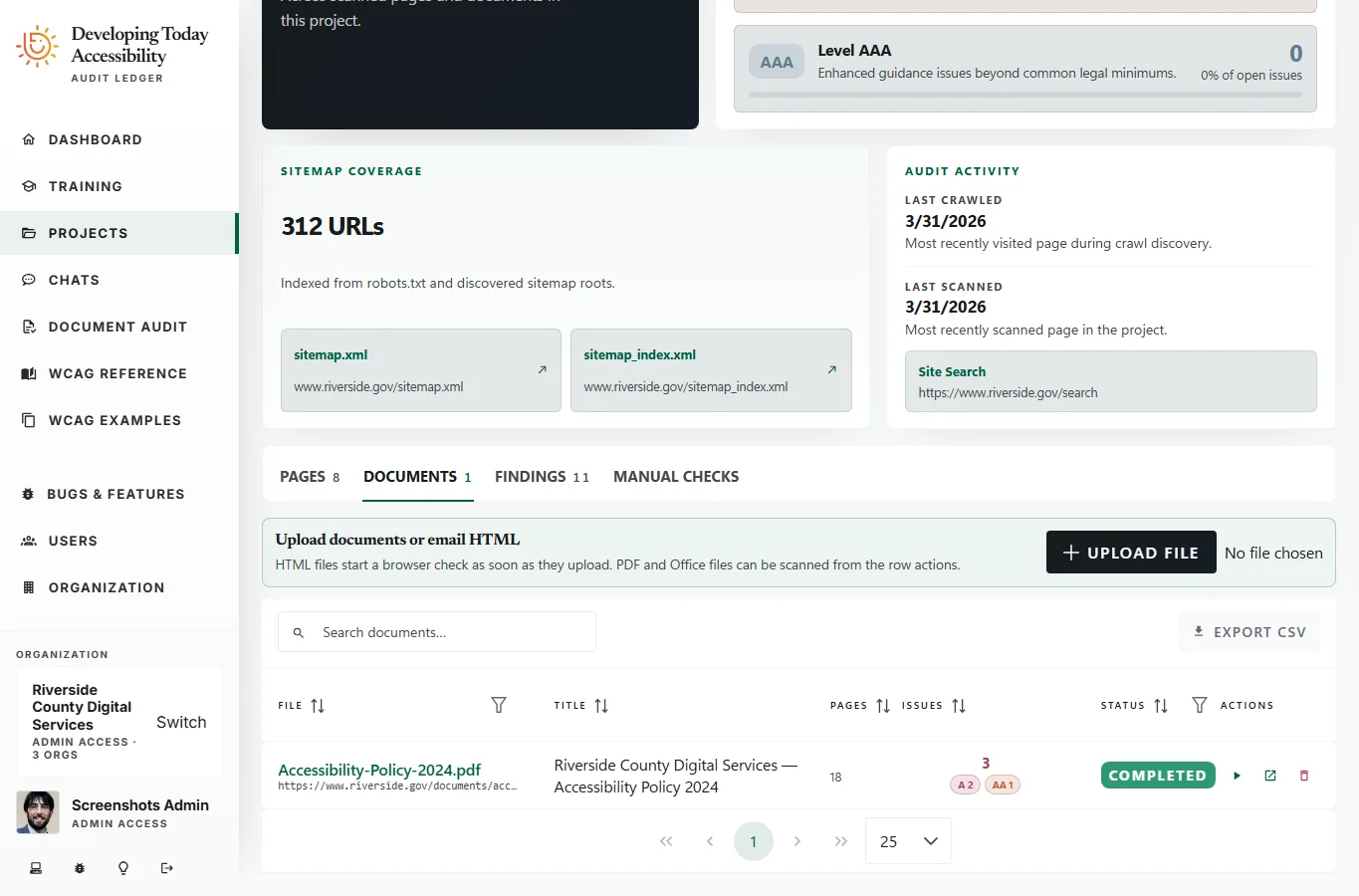
Project view

All documents in one place.

The project documents view lists every uploaded file with its scan status, finding count, and page count. Drill into any document to review findings at the same depth as web page audits.

Available on Professional and above

Audit the documents your users actually receive.