
Platform Features
Every tool an accessibility
program needs.
From automated scanning, scheduled crawl orchestration, and document inspection through finding management, AI-assisted review, and executive reporting, one platform covers the full compliance lifecycle.
Scanning & Crawling
Find every page. Test every state.
Multi-page site crawling
Configure depth and plan-based total page budgets. The crawler builds a complete URL map before scanning begins.
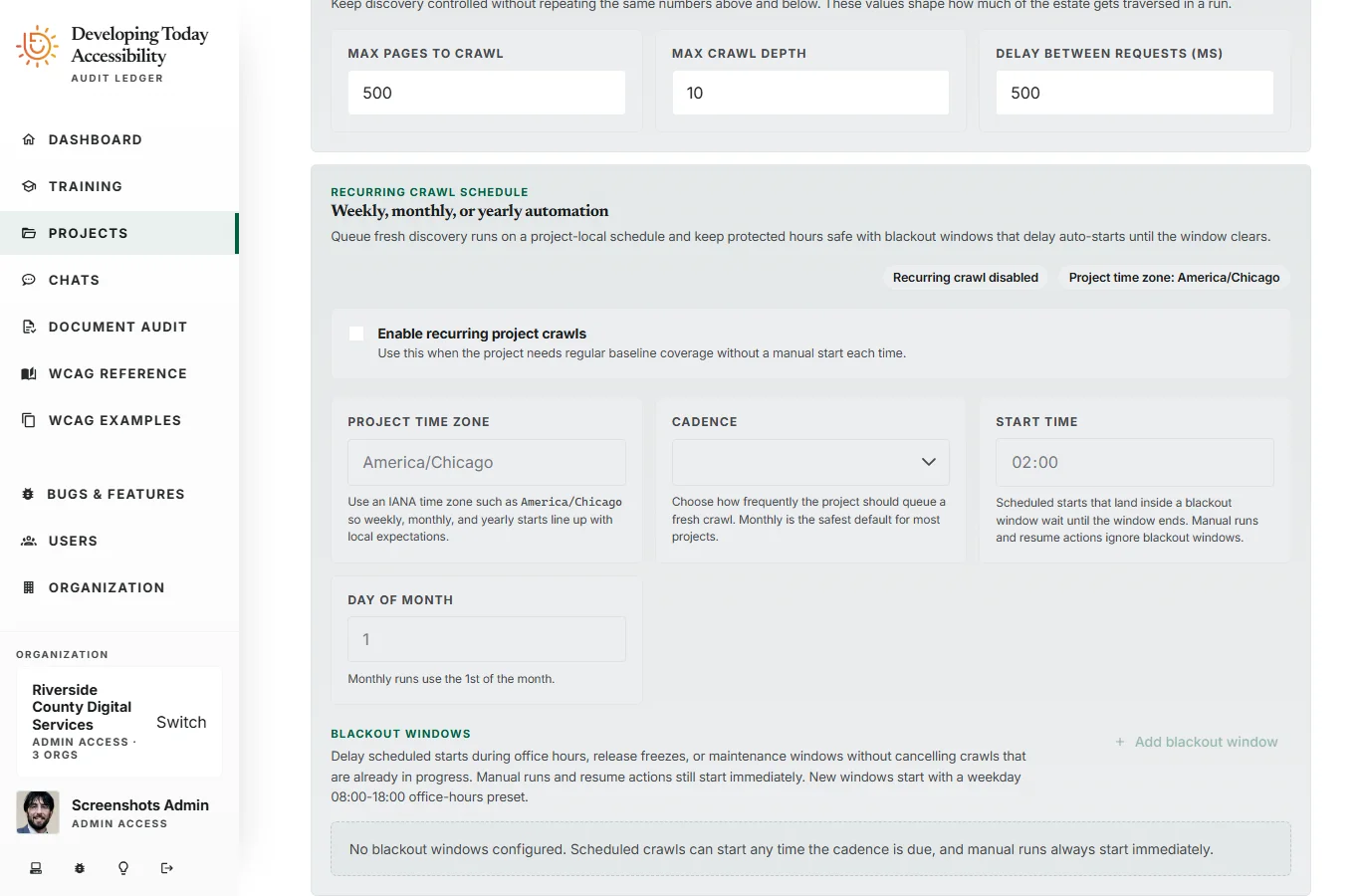
Project crawl scheduling
Schedule fresh crawls on weekly, monthly, or yearly cadences with a project-local start time and time zone so discovery keeps moving even when no one is in the workspace.
Robots.txt and sitemap compliance
The crawler respects robots.txt directives, discovers additional pages via Sitemap headers, and implements adaptive delays to avoid overloading target servers.
Blackout windows
Delay scheduled starts during release freezes, office-hours traffic, or maintenance periods without stopping crawls already underway.
Multi-domain crawling
Configure an allowlist of domains to crawl across. Essential for applications that span multiple subdomains or external content providers.
Custom request headers
Pass bearer tokens, API keys, or any custom headers with each crawl request to scan authenticated pages and content behind paywalls.
Dual-profile scanning
Every page tested at Desktop/Light (1280×720) and Mobile/Dark (390×844) simultaneously. Two screenshots per page, two sets of findings.
WCAG 2.0, 2.1, and 2.2
Pick a conformance target per project: WCAG 2.2 AA, WCAG 2.1 AA for ADA Title II, WCAG 2.0 AA for Section 508, or EN 301 549, each with AAA optional. Reports, scores and statements follow it. Rules sourced from ACT, Axe-Core, and Playwright automation engines.
AI-Powered Analysis
Contextual intelligence, grounded in your data.
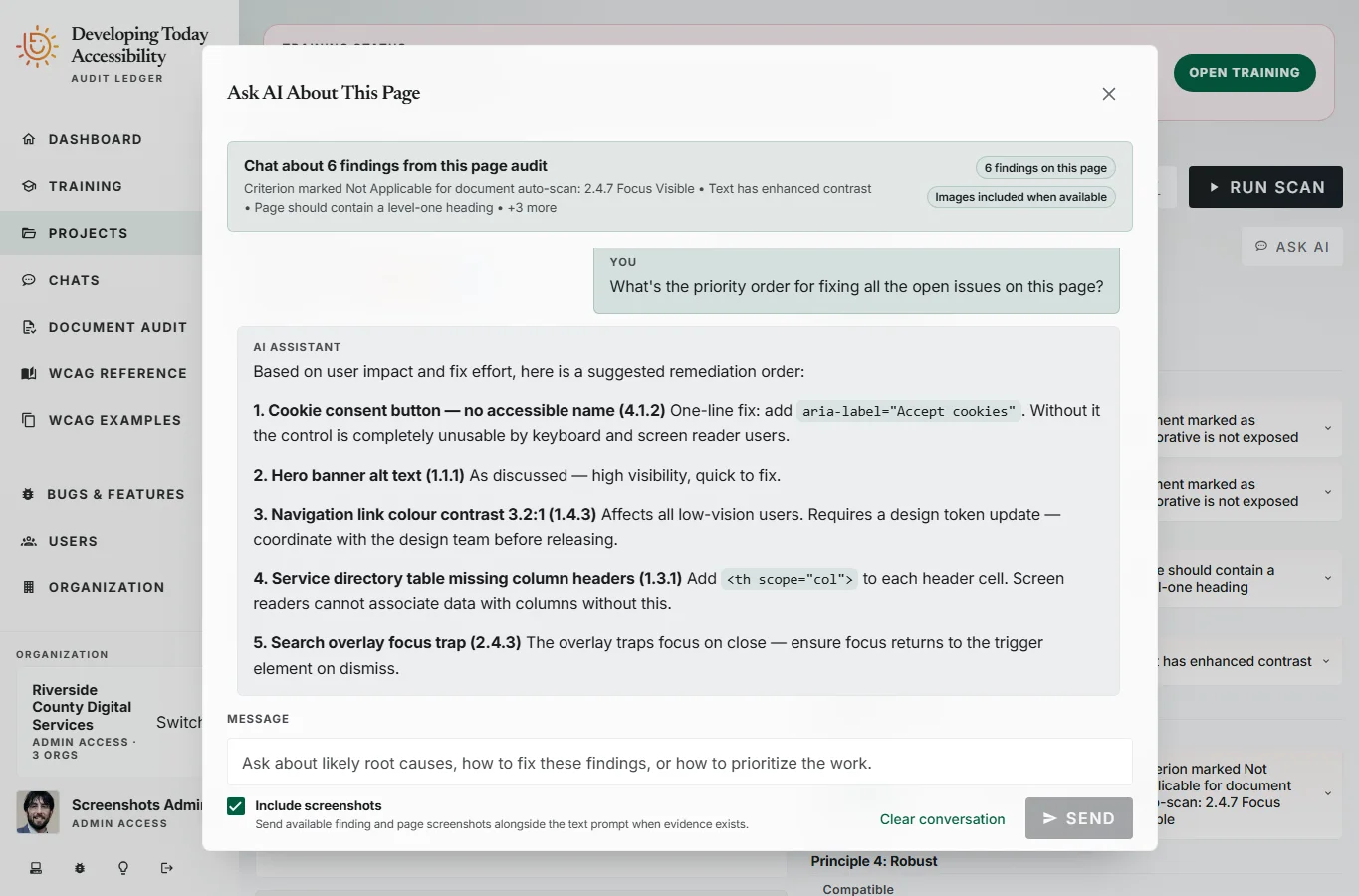
Multi-modal findings chat
Ask questions about any finding in natural language. The AI has access to your scan data, up to 3 screenshots, and the relevant WCAG criteria for each conversation.
Vision model support
Screenshot context is passed directly to the AI. The model can see the affected element in the page and reason about visual accessibility issues that text alone cannot describe.
Streaming real-time responses
Responses stream as they generate — no waiting for a full reply. Conversations feel immediate and interactive, not like a form submission.
Configurable LLM endpoint
Bring your own model. Point the platform at any compatible LLM endpoint — your own deployment, a managed service, or a specific model version your organization approves.
Finding Management
From raw scan to closed ticket.
Status lifecycle tracking
Open → Remediated, False Positive, or Accepted. Every status change is timestamped and attributed to a team member for audit trail completeness.
Screenshot evidence
Desktop and mobile screenshots captured for every finding. Screenshots are stored, indexed, and can be shared externally via access-controlled share links.
Group by pattern or page
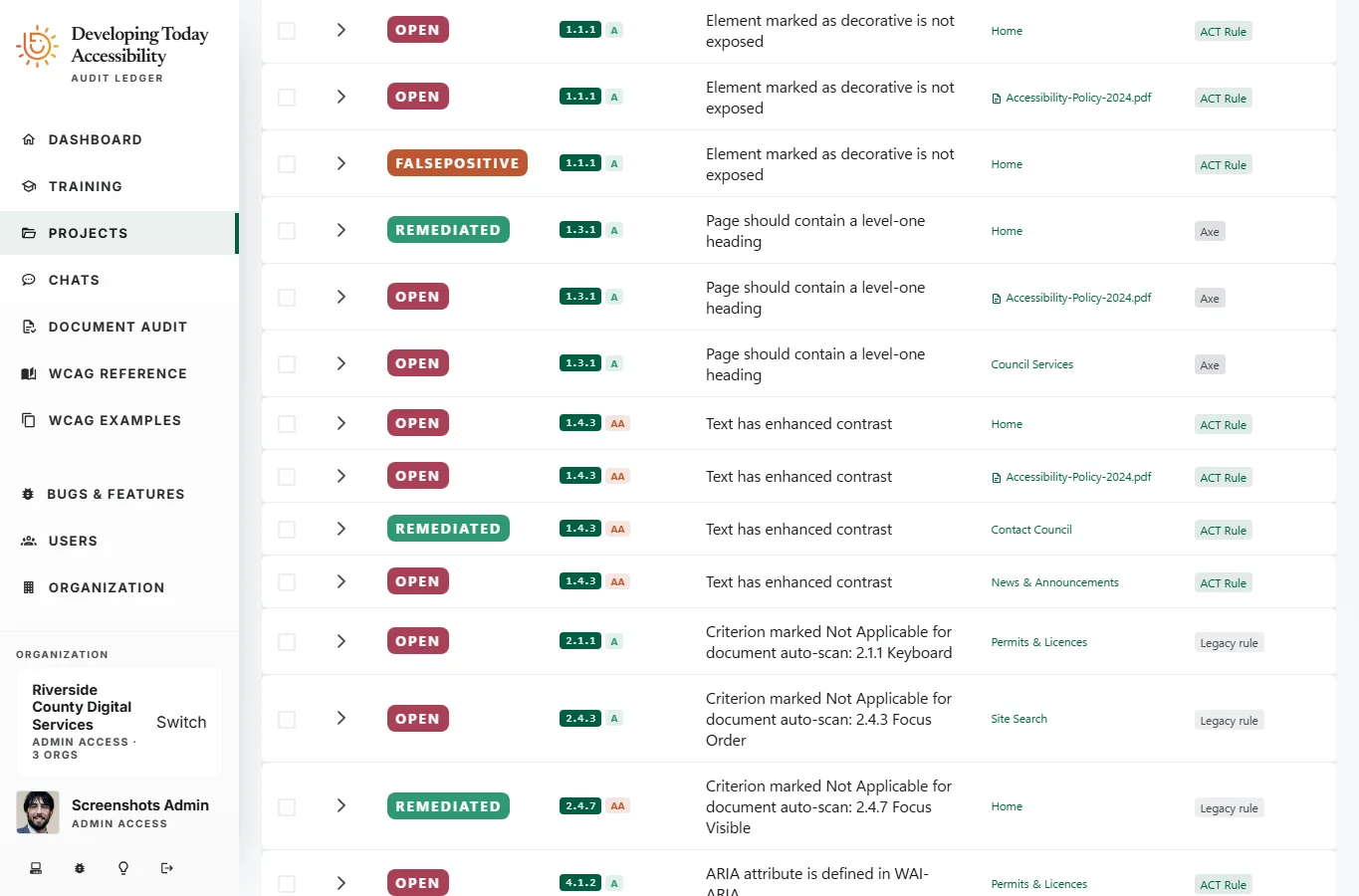
Switch between views to see findings organized by URL pattern (for systematic remediation planning) or by individual page (for per-page audit reviews).
Filtering and search
Filter findings by status, WCAG criterion, page or document, conformance level, and whether the finding is automated or manually recorded.
Custom notes and guidance
Auditors can add per-finding notes, custom remediation descriptions, and external links. Notes are preserved across rescans for continuity.
Reporting
Outputs built for the boardroom.
Executive dashboard
Portfolio view across all projects showing compliance scores, open finding counts by conformance level, recent activity, and remediation progress.
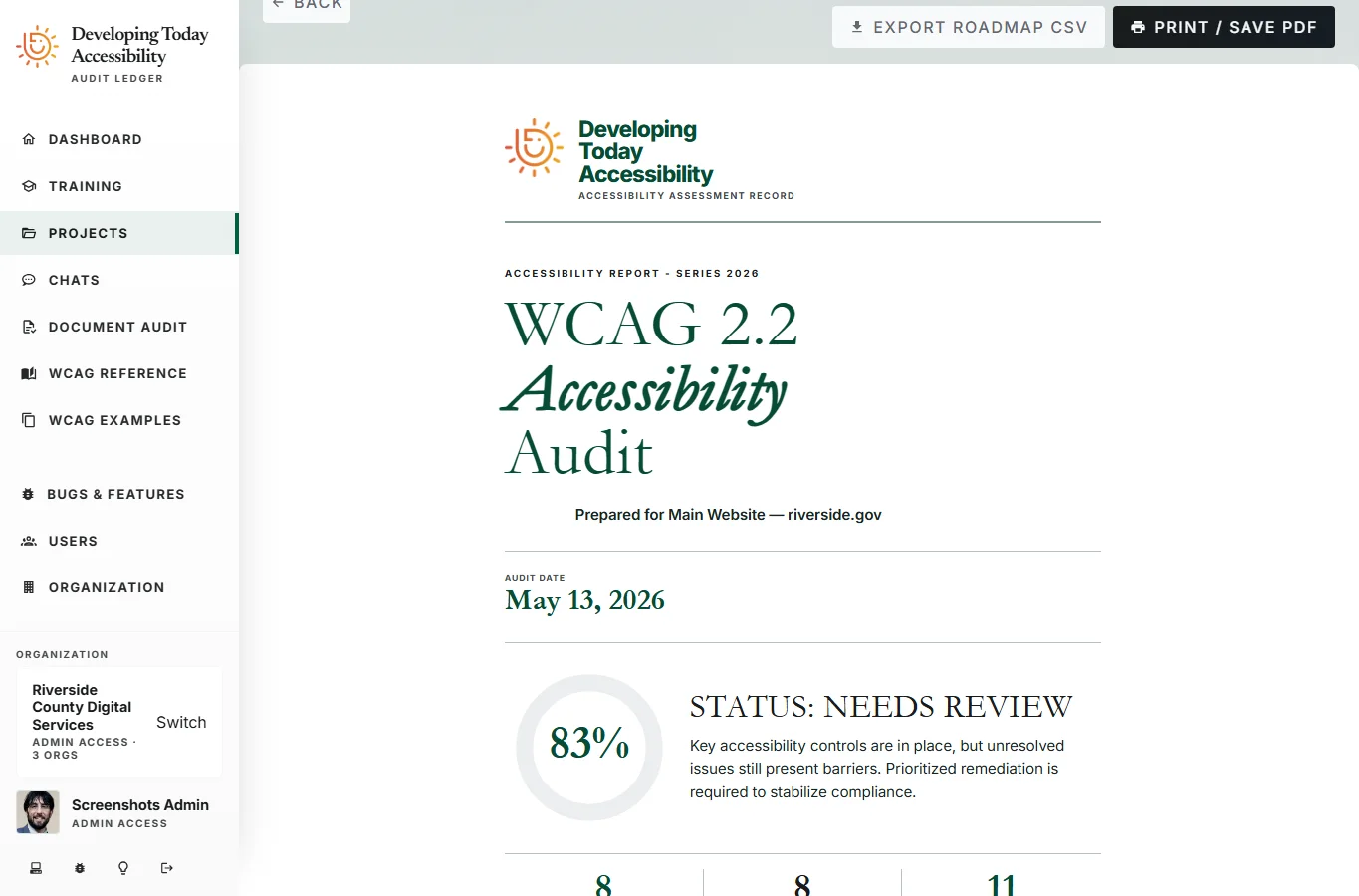
Per-project compliance scoring
Each project surfaces a compliance score calculated from the ratio of passing criteria to total applicable criteria, broken down by conformance level.
Print-ready report views
Reports are optimized for print and PDF export — structured to function as formal compliance deliverables for leadership reviews, procurement responses, and legal submissions.
Shareable screenshot links
Generate access-controlled share links for individual screenshots — attach as evidence in work items, compliance submissions, or team reviews without exposing the full workspace.
Team & Organization
Built for teams that share responsibility.
Role-based access control
Three roles: Admin (full control), Operator (create and manage audits), ReadOnly (view results and reports). Fine-grained control over who can change what.
Organization-scoped multi-tenancy
All projects, findings, and reports are scoped to your organization. Users can belong to multiple organizations with independent memberships and roles.
User invitations
Invite team members by email. New users land directly in your organization with the role you assigned — no separate onboarding required.
Real-time event streaming
Project activity streams live to all connected sessions via Server-Sent Events. Crawl progress, scan completion, and finding updates appear immediately for every team member.
Ready to start?