
AI-Powered Analysis
Contextual intelligence,
grounded in your scan data.
Not a generic chatbot. An AI assistant that has direct access to your findings, your screenshots, and your WCAG criteria — giving auditors faster, more accurate insight without leaving the workspace.
Findings Chat
Ask anything about a finding.
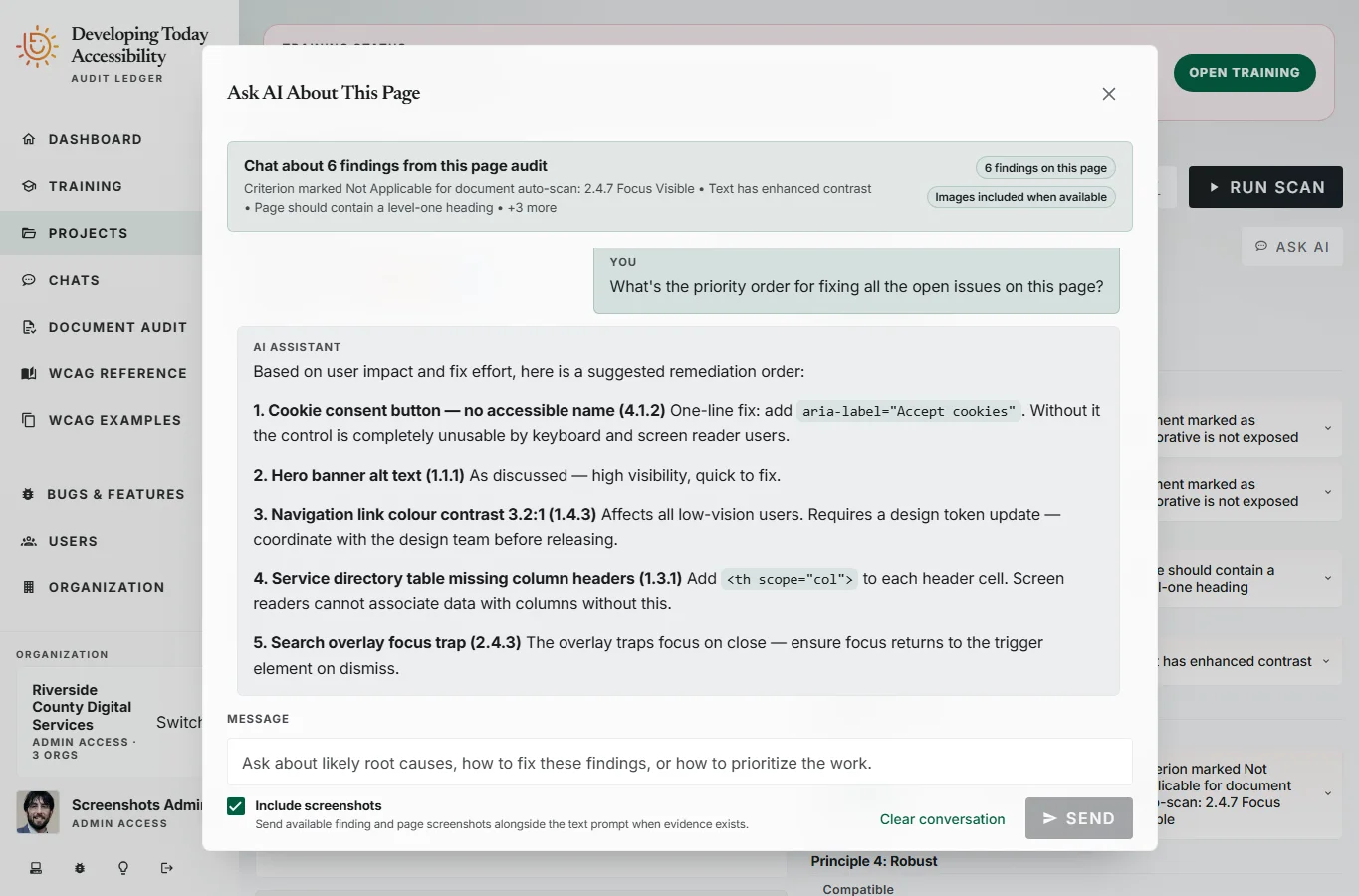
Every page audit includes a live AI chat session. Ask the AI to explain a violation in plain language, describe its impact on real users, suggest remediation code, or help you determine whether an automated finding warrants a manual review.
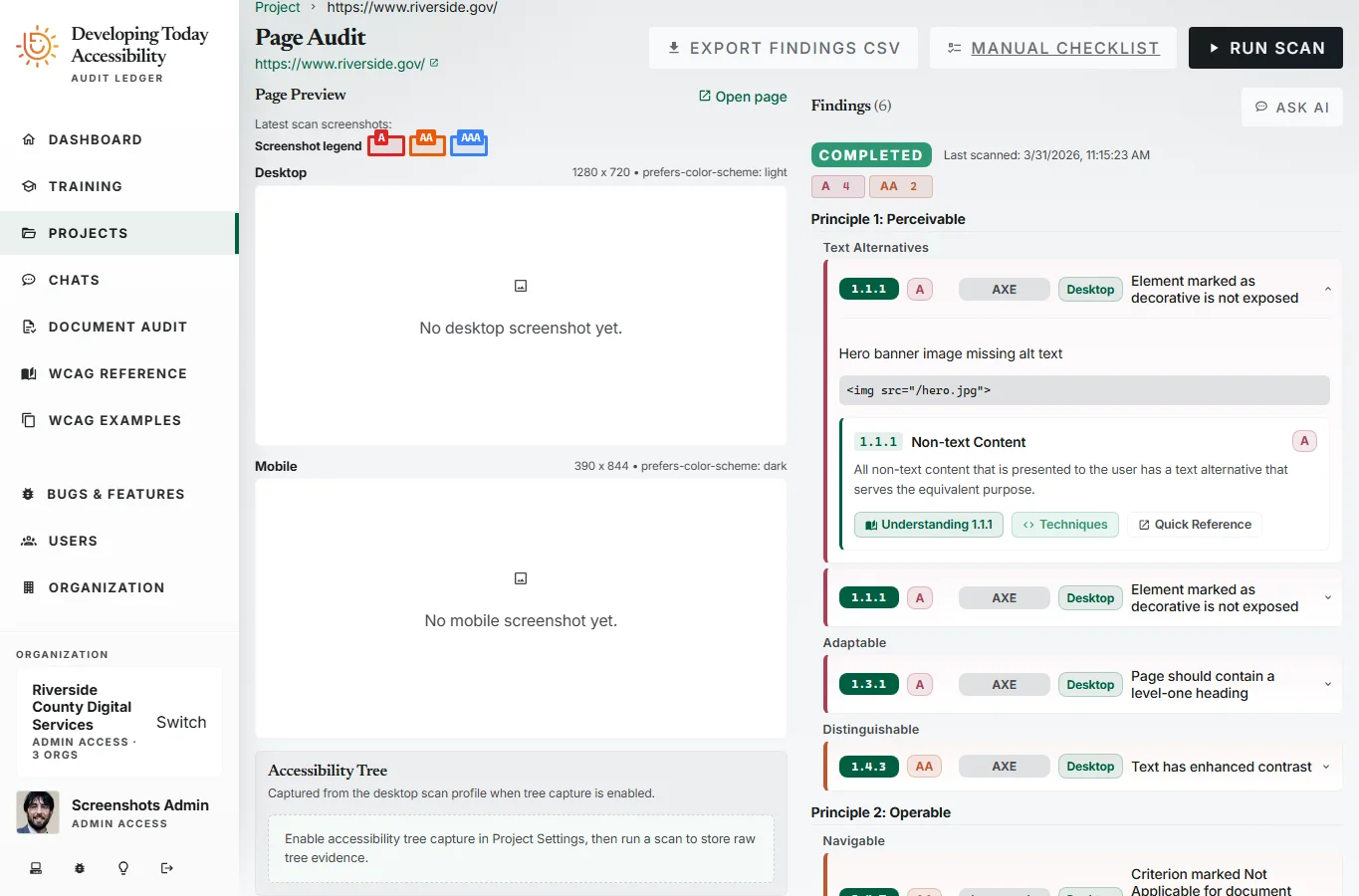
The AI has full context: the specific finding, the affected HTML element, the relevant WCAG success criterion, and up to three screenshots from the scan. It reasons about what it sees, not just what it reads.
Explain violations
Plain-language explanations of what the violation means and who is affected — without WCAG jargon.
Suggest remediation code
Code-level fix suggestions specific to the element, not generic advice from a documentation page.
Assess user impact
Understand which assistive technologies are affected, what user journeys are blocked, and how to prioritize remediation effort.
Prioritize findings
Get help triaging findings by user impact, fix effort, and conformance level to focus remediation where it matters most.
Vision Model Support
The AI can see what you see.
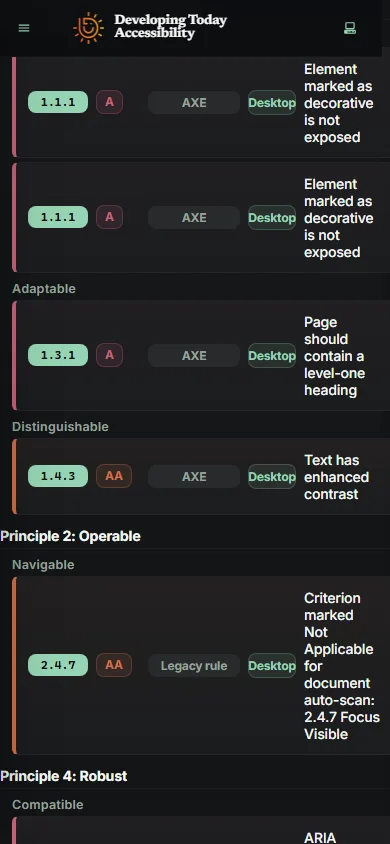
Screenshots from both desktop and mobile scan profiles are passed directly to the AI. The model doesn't just read the finding metadata — it examines the actual rendered state of the page and reasons about what it observes.
This matters for issues that are inherently visual: focus indicators that are technically present but visually insufficient, text that wraps unexpectedly on mobile viewports, interactive elements that are too small to tap — violations that text descriptions alone cannot fully convey.
Configuration
Your model. Your endpoint. Your control.
The AI chat feature does not route through a shared, managed model. You configure your own LLM endpoint and API key — giving your organization full control over the model version, provider, and data handling policy.
Endpoint
Any OpenAI-compatible API endpoint. Use your own Azure OpenAI deployment, a managed service, or a self-hosted model.
Model selection
Specify the exact model identifier. Choose a vision-capable model for screenshot context, or a text-only model for lower cost.
Temperature
Configured at 0.2 by default for focused, deterministic responses. Adjustable to match your organization's preferred behavior.
Per-project control
Enable or disable the AI chat feature per project. Keep it focused on the programs where it adds the most value.
Timeout
90-second default timeout handles large context windows and complex vision analysis without interrupting long responses.
Streaming
Responses stream in real-time as they generate. No waiting for a full completion — conversations feel immediate and interactive.
Availability
Included in every paid plan.
AI findings chat is available on Professional, Team, Agency, and Enterprise tiers. Each paid plan includes full access with your own LLM configuration. Enterprise adds dedicated onboarding support for model and endpoint setup.